
Docs /Medical Workflow Respirology
Reinflation Analysis: Setup
Research Use Only. Reinflation Analysis sits outside the declared intended use of the device. Its output is for study and investigation and must not be used to inform a diagnostic or therapeutic decision about an individual patient. See Intended Use and Safety.
Model how the remaining lung tissue re-expands after a simulated resection. In LeaRes this is done in the Lung Surgery panel, which lets you select the lobe (and the segments within it) to be removed, compute the reinflation of the residual tissue, and then run a post-resection virtual spirometry on the resulting geometry.
Physiological Background
After a lobectomy, the remaining lobes expand to fill the available space. This compensatory reinflation is a well-described phenomenon, and modelling it on a patient’s own reconstructed anatomy is a way to study how geometry and mechanics interact.
That is the purpose of this workflow: a Digital Twin experiment on reconstructed geometry, for research and for training. It is not a preoperative planning tool, it does not estimate residual function for clinical purposes, and it must not be used to support a decision about whether to operate. That decision belongs to the surgical team, on clinical grounds, using validated methods.
Note: The workflow reports simulated quantities. It does not report accuracy or predictive-performance figures, because none have been clinically validated.
Prerequisites
Before running reinflation:
- Completed lung segmentation and surface cleanup (see Organ Segmentation and 3D Reconstruction)
- Lobar/segmental anatomy available so individual lobes and segments can be selected
- Optionally, a baseline virtual spirometry for comparison (see Virtual Spirometry)
Step 1: Open the Lung Surgery Panel
- Load the patient anatomy containing the reconstructed lungs
- Click the Lungs Health button in the toolbar to open the Lung Analysis panel, then choose Lung Surgery (Evaluate post-lobectomy reinflation and ventilation)
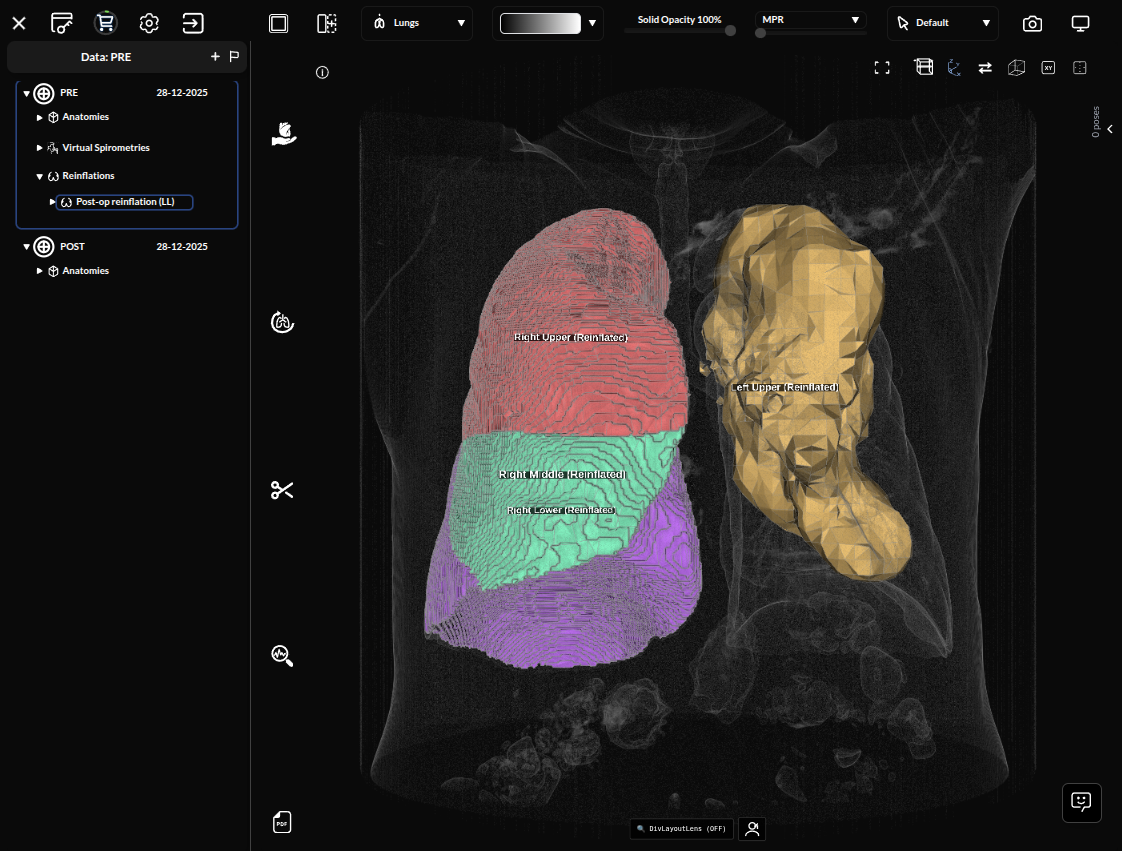
The panel lets you choose the resection, run the reinflation, and then run a post-operative virtual spirometry.
Step 2: Select the Resection
Choose the Lobe
Select the lobe to be removed:
- RUL — Right Upper Lobe
- RML — Right Middle Lobe
- RLL — Right Lower Lobe
- LUL — Left Upper Lobe
- LLL — Left Lower Lobe
The Segment Buttons
Each lobe expands into the bronchopulmonary segments that belong to it. The sets differ per lobe — there is no lobe offering S1 through S10:
| Lobe | Segments |
|---|---|
| RUL | S1, S2, S3 |
| RML | S4, S5 |
| RLL | S6, S7, S8, S9, S10 |
| LUL | S1+2, S3, S4, S5 |
| LLL | S6, S7, S8, S9, S10 |
Only whole-lobe resection is simulated. The segment buttons are a selection aid: clicking the lobe toggles all of its segments at once, and the Reinflation button becomes available only when every segment of one lobe is selected. A partial selection leaves the run disabled. Segmentectomy and other sub-lobar resections are not supported.
Tip: Choose the lobe that corresponds to the resection scenario you want to study, so the simulated geometry matches the configuration under investigation.